JixiPix Pastello Pro For Mac v6.0.98 Best Art Drawing Photo Converter App For MacOS X
JixiPix Pastello Pro For Mac Free Download is the Best Art Drawing Photo Converter App For MacOS X. JixiPix Pastello Pro Mac makes it simple and convenient to take an image and change it into Pastel, Chalk, Charcoal, Crayon, Colored Pencil, and Graphite drawings. Use alone or combine these media using powerful layers to produce interesting expressive sketch effects filled with colorful personality and passion. The best part is that JixiPix Pastello Pro does all the work. Transform photos into delicate art drawings with pastels, pencils, chalk, charcoal, and crayons, and introduce Pastello, a new companion app to JixiPix Impresso Pro. JixiPix Pastello Pro takes you back to the 15th century, away from brushes and large strokes and into dry media with brilliant and subtle colors. The “Dry color method,” made famous by Leonardo da Vinci, is powerful in its simplicity and beauty with its black and red chalk and yellow pastel highlights. Later, artists would paint charming portraits in a smooth, heavily blended fashion. Move forward a few centuries later, and pastels quickly filled with brilliant color and crisp detail. Also, Check Out Algoriddim djay Pro AI For Mac.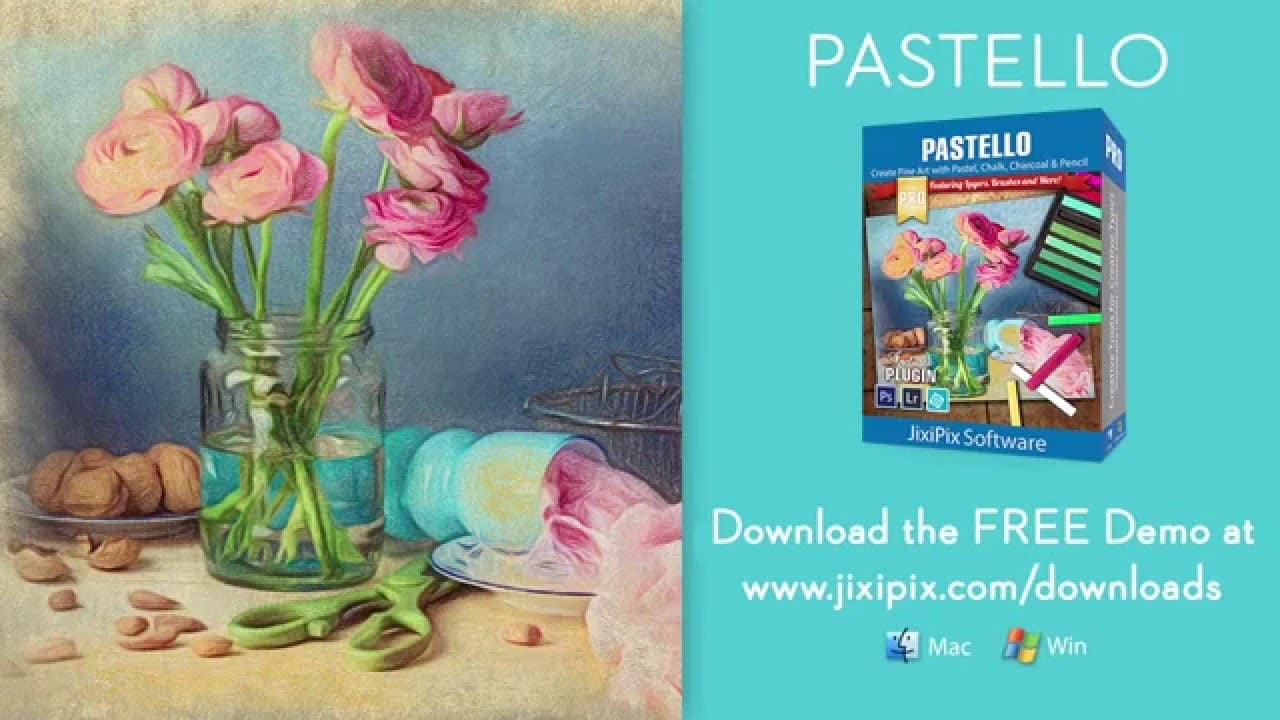 Fast forward to today, and the digital age has made it so you, the artist, can mix and match difficult or impossible media in a traditional setting. JixiPix Pastello Pro has a pro workflow that automatically transforms a photo into a pastel drawing and places it on art paper with customized options. The Pastel can then be changed to Chalk, Charcoal, Colored Pencil, Graphite, Conte, or Crayon using Layer styles. The media starts delicately as traditional drawings do, then allows you to build them up using fills, shading, and detail layers. The press is beautiful as they are, or mix them for an expressive artwork. JixiPix Pastello Pro includes many traditional sketch styles and a DaVinci effect using a mixed media of Pencil, charcoal, crayon, and old paper. It’s easy to use! We have mixed the media into one-click presets with all the freedom to customize, blend, and fine-tune for your unique artwork filled with age, depth, and timeless beauty as if created by the Renaissance artist himself. Pastel is a soft, buttery consistency and intense color. This effect is dense and filled with the grain of paper. Artists find this media especially good for Plein-air landscapes because the color ranges are vibrant, and the media itself is dustless and portable.
Chalk is a dusty light effect with little specks of preserved paper. This chalky Pastel is known for its soft strokes and velvety texture. This style is excellent for creating a delicate web of color by stacking or duplicating layers, letting the ones below show through to create an exciting drawing. Charcoal creates a velvety black charcoal effect with shades of grey. Use it to warm up a composition’s underpainting or to complete a finished charcoal piece. Colored Pencil creates soft, colorful strokes in the drawing that can be layered to build up color and then burnished with a light Pencil Layer or the Smudge tool. Pencil creates pencil drawings with fluid outlines and soft, limpid tonal shadings for a picture of warmth and charm. Conté is a beautiful crayon media for enhancing highlights, mid-tones, and shadows in drawings using five classic colors: Bistre, Sanguine, White, Grey, and Gold, and a color picker to choose your own—with options for crosshatching and scumbling. Crayon creates a colorful waxy base for a drawing, then burnishes it with a Conte White for highlights or Bistre for shading. Choose to brush in areas of the picture with chalk, charcoal, colored Pencil, or Pencil on the Layer or fill the entire Layer as a base for Pencil, Chalk, and Charcoal.
The Features Of JixiPix Pastello Pro For Mac OS:
- Pastel, Chalk, Charcoal, Conte, Colored Pencil, Pencil, and Crayon styles affect actual to real media. Each one controls stroke size, volume, color, and other refinements.
- Da Vinci style effect mixes five fully customizable media onto aged paper for an old-world appearance.
- Stroke technology inspired by real-world Pastellists.
- Intelligent Layers for blending pastel styles with options to reorder, duplicate, and delete. This powerful feature is great for mixing media.
- Fill Layer for hand brushing color and texture.
- Paper Layer that reacts to dry media as actual paper would. The more you layer the media, the more it fills the paper’s texture.
- Bright Brushes for touching up brush strokes.
- Smudge Brush for smearing media for a softer appearance.
- Brush Masking to invert, precise, or fill in brushed areas.
- Presets for a quick start.
- Customizable Presets to develop your unique and personal style or to save your projects with all strokes and layers intact for future editing.
- Use the user Preset category to store your personalized style.
- The favorite preset feature sends presets to the front when marked Paper Textures.
- Artistic and Aged Papers.
- Artistic Finishes for adding light and color to drawings.
- Smart links globally unify color and finishes across all layers.
How do you download and install JixiPix Pastello Pro into MacOSX?
- First, click the red Download JixiPix Pastello Pro For Mac button below and shift to the download Page.
- On the Download Page, you must Download JixiPix Pastello Pro For Mac links and other Instructions.
- Please follow the step-by-step guidelines and Install your Software into your MacOSX.
- If you like our work, don’t forget to share it with your friends and family on Facebook, Twitter, Linked In, and Reddit.
- That’s It. Now enjoy.

 I use this app a lot. You can take an ordinary flower and turn it into a masterpiece. I create textile designs for a significant company and often use the JixiPix Spektrel Art Mac app to finalize projects. Best of all, this app has never crashed on me with hundreds of variations. I love how you can save your favourite settings. I do prophetic art; this takes